
uni-app+mphtml最新对接deepseek-v4-flash跨三端智能ai对话助手
8 / 0 / 创建于 4个月前
 xiaoyan2015 的个人博客
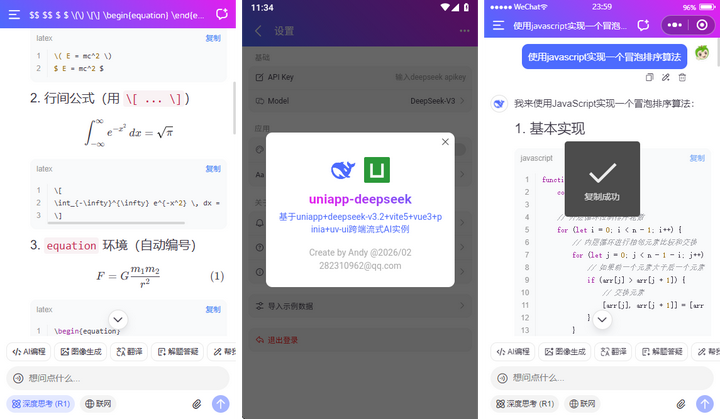
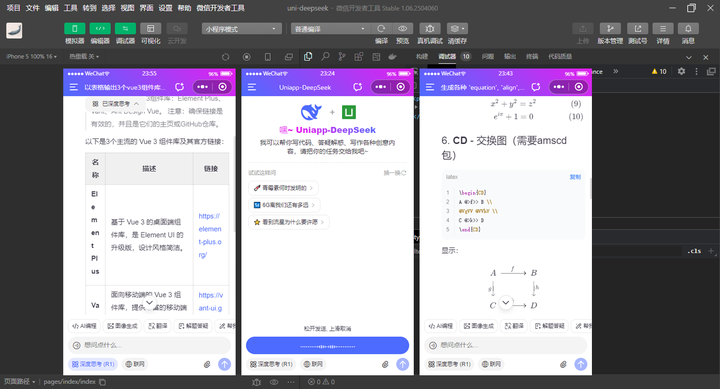
2026/5最新研发uniapp+vue3+markdown+mphtml快速接入deepseek-v4大模型,从0-1构建web+小程序端+app端通用流式输出智能ai对话模板。


uniapp-ai跨端ai项目支持暗黑+浅色主题、新增深度思考链、复制代码、katex数学公式、链接跳转、图片预览等功能。支持运行到H5+小程序+App端。

功能支持性
- 支持深度思考链【三端】✨
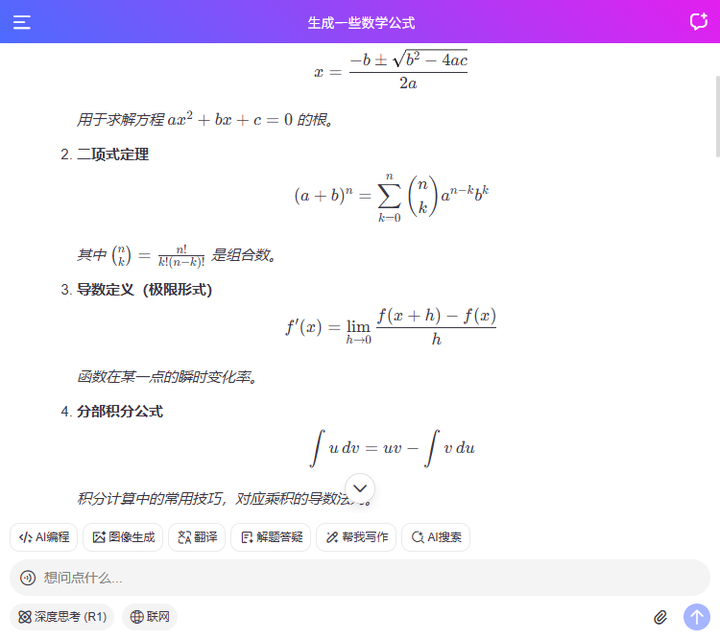
- 支持kaTex数学公式【三端】✨
- 支持mermaid图表【仅H5】✨
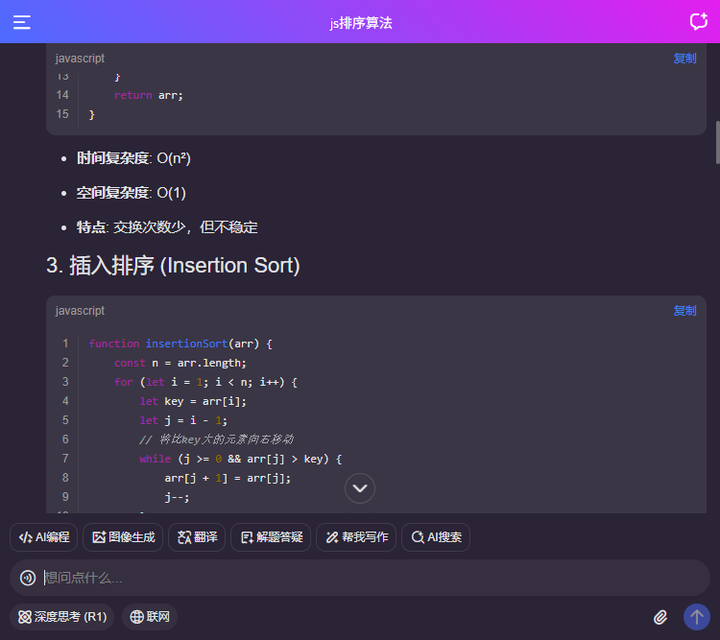
- 支持代码块滚动粘性、横向滚动、行号、复制代码【三端】✨
- 支持表格、链接、图片预览【三端】✨

Vite8+DeepSeek-V4网页版AI助手|vue3+arco本地web版ai流式问答系统
Electron41+Vite8+DeepSeek-V4桌面端AI助手|electron+vue3流式ai系统
Flutter3.41+DeepSeek V4智能AI应用|flutter3+getx+dio流式ai对话app模板
tauri2.10+deepseek v4+vite7客户端ai系统|Tauri2+Vue3.5桌面AI程序Exe
flutter3.41+deepseek-v4+dio+getx纯手搓桌面客户端ai流式智能对话系统
vite8.0+deepseek-v4流式ai模板|vue3.5+vant4+markdown打字输出ai助手
项目结构目录
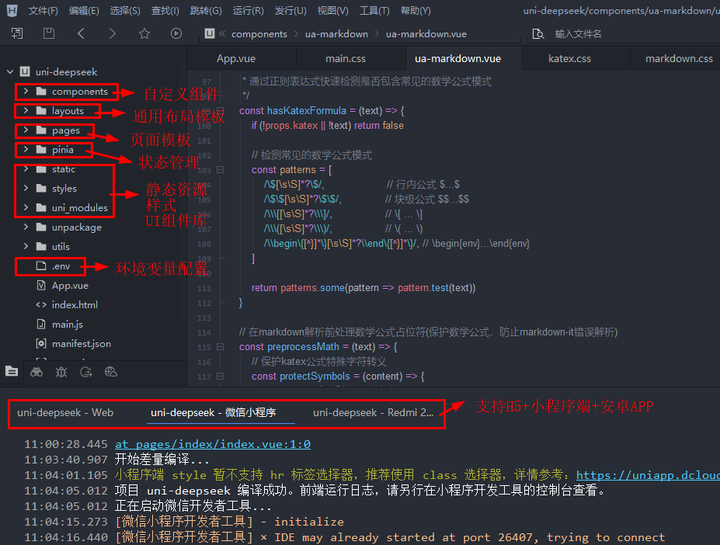

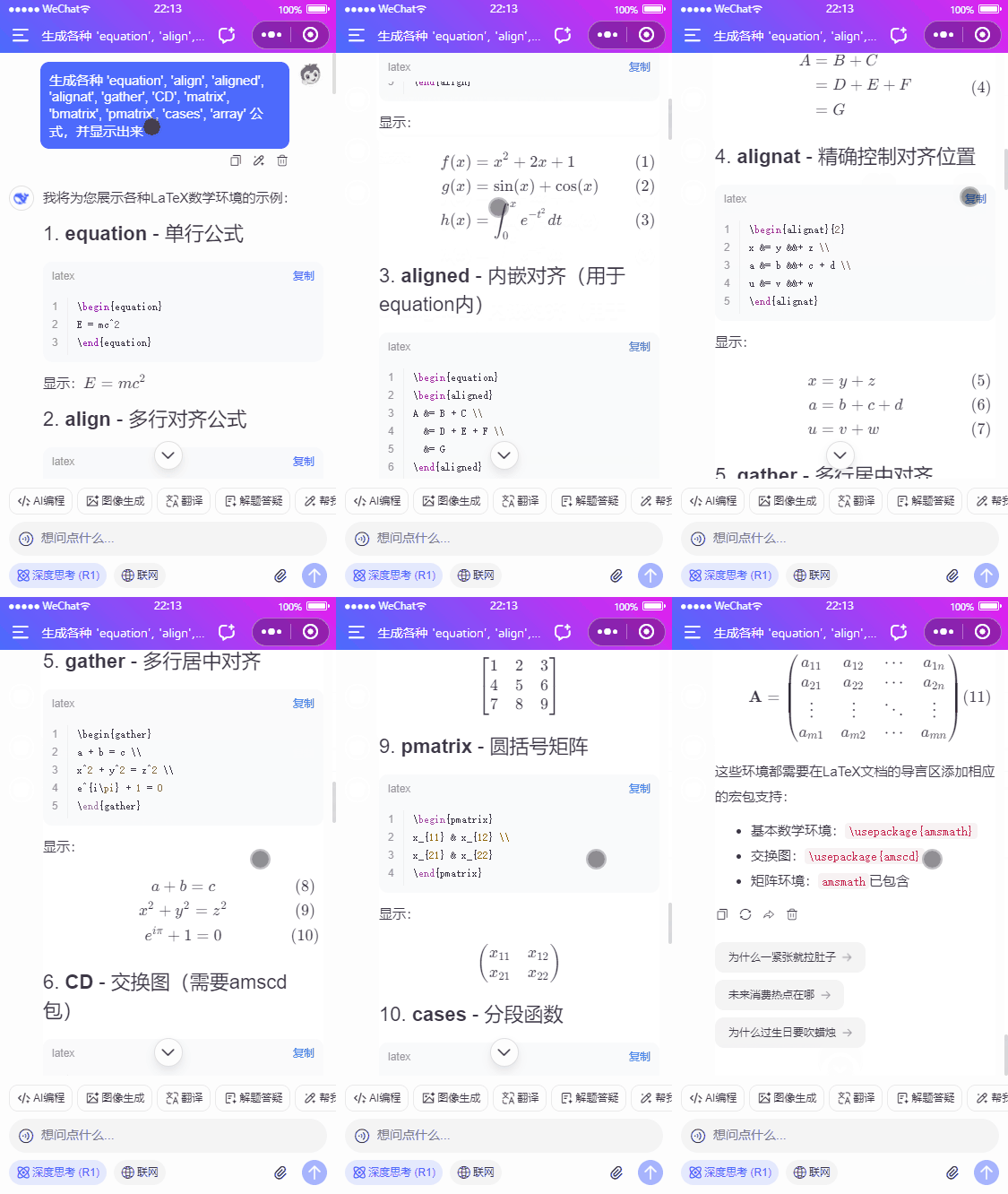
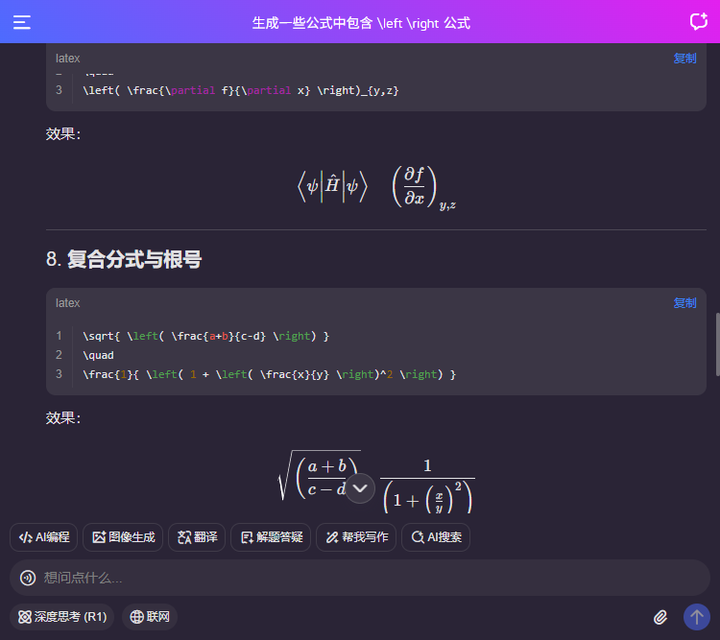
支持编译到web端,在pc页面以750px宽度布局,h5端支持mermaid图表渲染功能。




uni-app环境变量.env
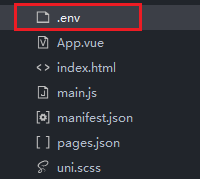
# 项目名称
VITE_APPNAME = 'Uniapp-DeepSeek'

# 运行端口
VITE_PORT = 5173

# DeepSeek API配置
VITE_DEEPSEEK_API_KEY = 替换为你的APIKey
VITE_DEEPSEEK_BASE_URL = https://api.deepseek.com
项目通用布局

<template>
    <uv3-layout>
        <!-- 导航栏 -->
        <template #header>
            <Toolbar :title="chatSession?.title" />
        </template>
        <view v-if="chatSession && !isEmpty(chatSession.data)" class="vu__chatview flexbox flex-col">
            <scroll-view :scroll-into-view="scrollIntoView" scroll-y="true" @scrolltolower="onScrollToLower" @scroll="onScroll" style="height: 100%;">
                <view class="vu__chatbot">
                    ...
                </view>
                <view id="scrollbottom-placeholder" style="height: 1px;"></view>
            </scroll-view>
            <!-- 滚动到底部 -->
            <view class="vu__scrollbottom" @click="scrollToBottom"><text class="iconfont ai-arrD fw-700"></text></view>
        </view>
        <!-- 欢迎信息 -->
        <view v-else class="vu__welcomeinfo">
            <view class="intro flex-c flex-col">
                <view class="logo flex-c" style="gap: 15px;">
                    <view class="iconfont ai-deepseek" style="font-size: 40px;"></view>
                    <text style="color: #999; font-size: 20px;">+</text>
                    <image src="/static/uni.png" mode="widthFix" style="height: 30px; width: 30px;" />
                </view>
                <view class="name"><text class="txt text-gradient">嘿~ Uniapp-DeepSeek</text></view>
                <view class="desc">我可以帮你写代码、答疑解惑、写作各种创意内容,请把你的任务交给我吧~</view>
            </view>
            <view class="prompt">
                <view class="tip flex-c"><text class="flex1">试试这样问</text><view class="flex-c" @click="refreshPrompt">换一换<uni-icons type="refreshempty" color="#999" size="14" /></view></view>
                <view v-for="(item,index) in promptList" :key="index">
                    <view class="option" @click="changePrompt(item.prompt)">{{item.emoji}} {{item.prompt}} <text class="arrow iconfont ai-arrR c-999"></text></view>
                </view>
            </view>
        </view>
        <template #footer>
            <view :style="{'padding-bottom': keyboardHeight + 'px'}">
                <ChatEditor ref="editorRef" v-model="promptValue" :scrollBottom="scrollToBottom" />
            </view>
        </template>
    </uv3-layout>
</template>
uni-app支持三端渲染markdown组件
这次升级迭代,替换原先rich-text组件为mp-html来渲染markdown内容。支持小程序katex/代码复制/图片预览等功能。
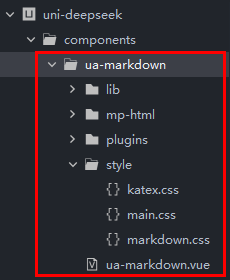
修复微信小程序里一些常用标签table、h1-h6 hr…,导致样式会失效问题。
<template>
    <view class="ua__markdown">
        <mp-html :content="parseNodes" @linktap="handleLinkTap" />
    </view>
</template>
组件配置
const props = defineProps({
    // 解析内容
    source: String,
    // 是否显示代码块行号(关闭后性能更优)
    showLine: { type: [Boolean, String], default: true },
    // 开启katex
    katex: { type: Boolean, default: true },
    // markdown-it插件配置
    plugins: {
        type: Array,
        default: () => []
    },
})
uni-app+deepseek流式sse打字效果
小程序端使用uni.request开启 enableChunked 实现流式,H5和App端采用renderjs方式fetch来实现流式功能。
小程序sse
// #ifdef MP-WEIXIN
try {
this.loading = true
this.answerText = ''
this.reasoningText = ''
this.lastUpdate = 0

// 发起新请求前终止旧请求
const requestTask = await uni.request({
    url: baseURL+'/v1/chat/completions',
    method: 'POST',
    header: {
        "Content-Type": "application/json",
        "Authorization": `Bearer ${apiKEY}`,
    },
    data: {
        // 多轮会话
        messages: this.multiConversation ? this.historySession : [{role: 'user', content: editorValue}],
        // 对话模型(快速模式deepseek-v4-flash 专家模式deepseek-v4-pro)
        model: 'deepseek-v4-flash',
        // 是否深度思考
        thinking: {'type': this.chatState.thinkingEnabled ? 'enabled' : 'disabled'},
        stream: true, // 流式输出
        max_tokens: 8192, // 限制一次请求中模型生成 completion 的最大 token 数(默认使用 4096)
        temperature: 0.4, // 严谨采样 越低越严谨(默认1)
    },
    enableChunked: true, //开启分块传输 transfer-encoding chunked
    success: (res) => {
        const { statusCode } =  res
        if (statusCode !== 200) {
            // 手动处理错误码
            console.error('请求失败,状态码:', statusCode)
            this.loading = false
            this.answerText = ''
            this.reasoningText = ''
            uni.showToast({
                title: errorMsgCode[statusCode],
                icon: 'none'
            })
            return
        }
        console.log('request success', res)
    },
    fail: (error) => {
        console.log('request fail', error)
        this.loading = false
        this.answerText = ''
        this.reasoningText = ''
        uni.showToast({
            title: error.errMsg,
            icon: 'none'
        })
    }
})
requestTask.onChunkReceived((res) => {
    // console.log('Received chunk', res)

    // ...
})
} catch (error) {
this.loading = false
this.chatState.updateSession(this.botKey, {loading: false})
throw new Error(`request error: ${error.message || '请求异常'}`)
}
// #endif
h5/app端sse
// H5和APP端调用renderjs里的fetch
// #ifdef APP-PLUS || H5
this.fetchAppH5({
url: baseURL+'/v1/chat/completions',
method: 'POST',
headers: {
    "Content-Type": "application/json",
    "Authorization": `Bearer ${apiKEY}`,
},
body: {
    // 多轮会话
    messages: this.multiConversation ? this.historySession : [{role: 'user', content: editorValue}],
    // 对话模型(快速模式deepseek-v4-flash 专家模式deepseek-v4-pro)
    model: 'deepseek-v4-flash',
    // 是否深度思考
    thinking: {'type': this.chatState.thinkingEnabled ? 'enabled' : 'disabled'},
    stream: true, // 流式输出
    max_tokens: 8192, // 限制一次请求中模型生成 completion 的最大 token 数(默认使用 4096)
    temperature: 0.4, // 严谨采样 越低越严谨(默认1)
}
})
// #endif
uniapp+deepseek-v4跨端ai助手已经更新到我的原创作品集,欢迎下载使用。
uniapp+deepseek跨三端流式输出ai模板
最后附上几个最新实战项目
最新版Flutter3.41+Dart3.11仿写抖音APP直播+短视频+聊天应用程序
最新研发flutter3.41+bitsdojo_window+getx客户端仿微信聊天Exe应用
最新版Flutter3.41+Dart3.11跨平台仿微信app聊天界面|朋友圈
Tauri2.9+Vue3桌面版OS系统|vite7+tauri2+arcoDesign电脑端os后台模板
electron38-admin桌面端后台|Electron38+Vue3+ElementPlus管理系统
Electron38-Wechat电脑端聊天|vite7+electron38仿微信桌面端聊天系统
最新版uni-app+vue3+uv-ui跨三端仿微信app聊天应用【h5+小程序+app端】
本作品采用《CC 协议》,转载必须注明作者和本文链接


 关于 LearnKu



 粤公网安备 44030502004330号
推荐文章: